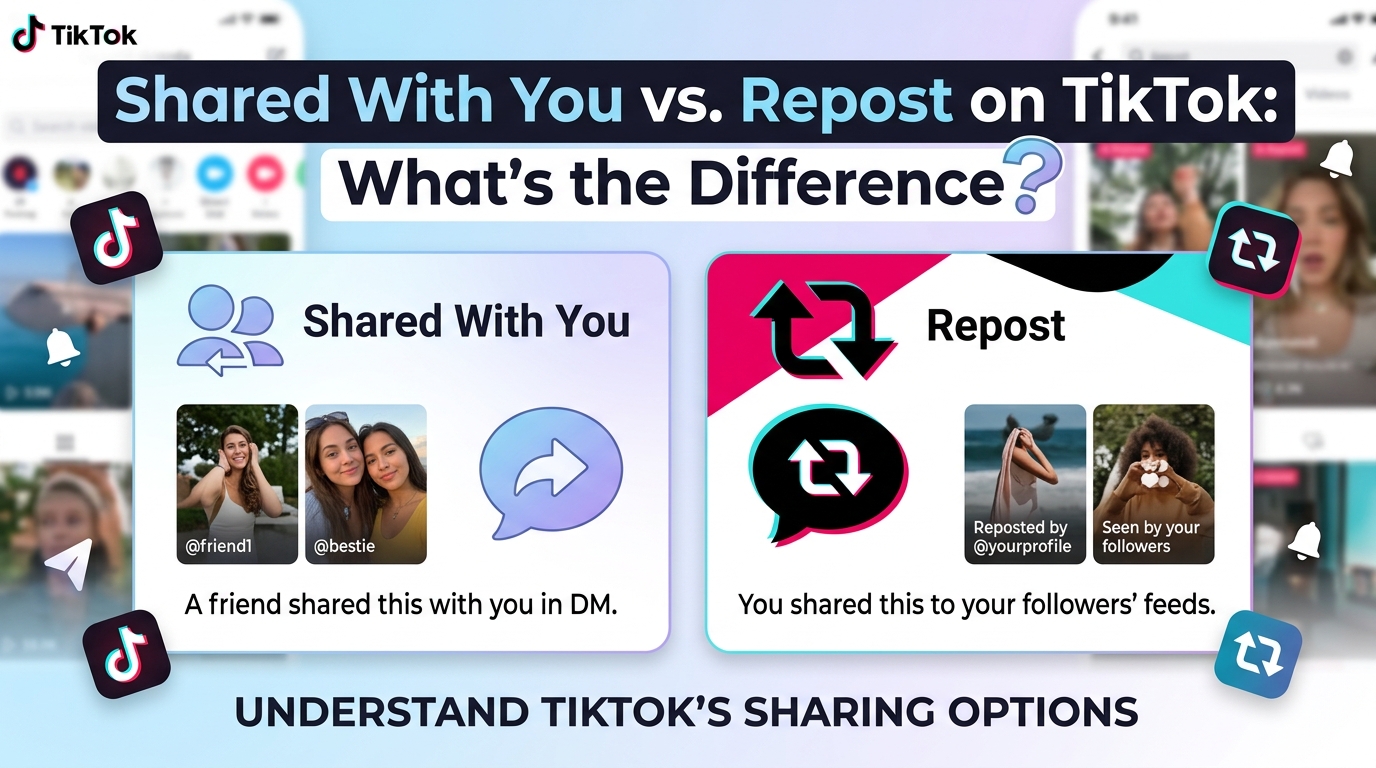
If you’ve seen “Shared with You” on TikTok, you might wonder whether it means someone reposted a video.
The short answer is:
No. “Shared with You” and “Repost” are different things on TikTok.
They both involve sharing content, which is why they can be easy to confuse. But they describe different types of activity.
Shared with You is a label associated with sharing-related activity involving you.
Repost is TikTok’s specific feature for resharing a video.
Understanding that difference can also help explain why you might see “Shared with You” even when you don’t see an obvious Repost.
What Does “Shared with You” Mean?
“Shared with You” generally points to a sharing-related connection between you and TikTok content or an account.
It can be associated with TikTok sharing or link activity.
The important thing is that the label does not work like a public post showing that someone deliberately reposted a video to their followers.
It also doesn’t automatically tell you:
- Who shared the content
- When it was shared
- Whether the person reposted it
- Whether they viewed your profile
- Whether they follow you
So Shared with You is better understood as a sharing-related label rather than a specific repost action.
What Is a Repost on TikTok?
Repost is an actual TikTok feature.
TikTok describes Repost as a way to share videos you find interesting with your friends and community. Reposted videos can appear in the For You feeds of people connected to you, and TikTok provides an option to remove a repost later.
In simple terms:
You find a TikTok you like → tap Repost → TikTok reshapes how that video can be surfaced to your connections.
That’s an intentional action taken by the user.
Shared With You vs. Repost: The Simple Difference
Here’s the easiest way to remember it:
| Feature | Shared with You | Repost |
|---|---|---|
| What is it? | A sharing-related label | A TikTok sharing feature |
| Main idea | Indicates a sharing connection involving you | Reshares a video |
| Is it an action you take? | Not necessarily | Yes |
| Does it mean someone reposted a video? | No | Yes |
| Does it automatically mean someone viewed your profile? | No | No |
| Does it automatically mean someone follows you? | No | No |
| Can it involve sharing links? | Yes | Not the same mechanism |
| Can the original video be reposted? | Not what the label means | Yes |
The biggest difference is that Repost describes an action, while Shared with You describes a sharing-related connection or label.
Does “Shared with You” Mean Someone Reposted Your Video?
No.
Seeing “Shared with You” does not mean someone used TikTok’s Repost button on your video.
If someone actually reposted your content, that is a separate TikTok action.
This distinction matters because it prevents a common misunderstanding:
Shared with You ≠ Reposted by this person
The label alone isn’t enough to conclude that someone deliberately reshared your video.
Does a Repost Mean Someone Shared the Video With Me?
Not necessarily.
A Repost and a direct share serve different purposes.
Someone can repost a TikTok because they want to share it with their TikTok community.
Someone can also send a TikTok directly to another person.
Those are not the same action.
For example:
Repost:
“I want this video to be shared through my TikTok activity.”
Direct share:
“I want to send this video to someone.”
And Shared with You can indicate a sharing-related connection involving you without telling you that the person used Repost.
Can You See Who Reposted a TikTok?
A Repost is a TikTok feature associated with the person who reposted the video.
That’s different from the “Shared with You” label, which doesn’t function as a simple list of everyone who shared a video with you.
If you’re trying to determine whether a specific person reposted something, look for the actual Repost-related information rather than relying on the “Shared with You” label.
Does Repost Mean Someone Viewed My Profile?
No.
This is another common misunderstanding.
A Repost tells you about a user’s repost activity. It doesn’t automatically mean that person:
- Viewed your profile
- Searched your username
- Followed you
- Watched all your videos
- Is interested in your account
Likewise, Shared with You shouldn’t be treated as a hidden profile-view notification.
If you’re interested in profile visits, TikTok’s Profile view history feature is separate.
Can Someone Repost a Video Without Following You?
The ability to use TikTok features can depend on the account, video, and privacy settings.
But conceptually, a Repost is about resharing a TikTok video, not establishing a Follow relationship.
Therefore:
Repost ≠ Follow
and
Shared with You ≠ Follow
If you want to know whether someone follows you, check their actual account relationship.
What Happens When You Repost a TikTok?
When you use TikTok’s Repost feature, you’re intentionally resharing a video.
TikTok describes Repost as a way to share interesting videos with friends and community. Reposted content can be surfaced in connected users’ For You feeds.
This makes Repost fundamentally different from simply seeing a “Shared with You” label.
A useful way to think about it is:
Repost = something the user actively does
Shared with You = something TikTok displays as a sharing-related connection
Can You Remove a Repost?
Yes.
TikTok’s official help documentation includes a Remove repost option, confirming that Repost is an actual user-controlled feature rather than simply a label.
If you repost a video by mistake, you can use TikTok’s Repost controls to remove it.
This is another reason why Repost shouldn’t be confused with Shared with You.
Why Does TikTok Have Both?
The two features answer different questions.
Shared with You
Helps indicate that there is some kind of sharing-related connection involving you and the content or account.
Repost
Lets a TikTok user actively reshare a video.
So one is primarily something you see, while the other is an action someone can perform.
That’s why seeing one doesn’t automatically mean the other happened.
What If I See “Shared with You” Under a Stranger’s Profile?
This is where the distinction becomes especially useful.
If you see an unfamiliar account with “Shared with You,” don’t automatically assume:
“They reposted my video.”
That’s not what the label establishes.
It also doesn’t automatically mean:
- They visited your profile
- They searched for you
- They follow you
- They sent you a DM
- They’re interested in you
There may be a sharing or link-related connection behind the label, but the label itself doesn’t provide the complete explanation.
For a deeper explanation of this specific situation, see:
👉 Why Does TikTok Show “Shared with You” on Someone’s Profile?
Shared With You vs. Repost: Which One Is Public?
This depends on what you mean by “public.”
A Repost is an intentional TikTok action that can cause the reposted video to be surfaced to the user’s friends and community.
“Shared with You,” on the other hand, is not itself a public repost action.
That’s why you shouldn’t interpret the label as:
“This person publicly reposted something for me.”
The two features operate differently.
Does “Shared with You” Mean Someone Shared the Video Directly With Me?
Not necessarily.
A TikTok can be shared through different methods, including TikTok’s own messaging and external links.
TikTok also documents link-based account suggestions involving people who open or send TikTok links. This can include links shared outside the TikTok app.
So sharing activity can involve more than simply pressing Repost.
That’s why the terms shouldn’t be treated as interchangeable.
Quick Comparison
If you just want the answer:
“Shared with You”
Think:
“TikTok is showing me a sharing-related connection.”
“Repost”
Think:
“Someone actively reshared this TikTok.”
That’s the simplest distinction.
FAQ
Is “Shared with You” the same as Repost?
No. Shared with You is a sharing-related label, while Repost is TikTok’s feature for resharing videos.
Does “Shared with You” mean someone reposted my video?
No. The label doesn’t confirm that someone used the Repost feature.
Does Repost mean someone viewed my profile?
No. A Repost is a sharing action, not a profile-view notification.
Does Repost mean someone follows me?
No. Reposting and following are separate TikTok actions.
Can I remove a TikTok Repost?
Yes. TikTok provides a Remove repost option.
Why do I see “Shared with You” instead of a Repost?
Because the two features represent different types of activity. A sharing-related label does not necessarily indicate that someone used TikTok’s Repost feature.
Does “Shared with You” tell me who shared the video?
Not necessarily. The label itself does not function as a complete record identifying every person involved in sharing activity.
The Bottom Line
“Shared with You” and “Repost” are not the same thing on TikTok.
The easiest way to remember the difference is:
Shared with You = a sharing-related connection or label.
Repost = an active TikTok feature for resharing a video.
So if you see “Shared with You” under someone’s account, don’t automatically assume they reposted your content—or that they viewed your profile.
If you’re trying to understand why the label appeared under a stranger’s account, the explanation is more closely related to TikTok’s sharing and link activity.
👉 Still wondering why a specific stranger shows “Shared with You”? Read the detailed explanation here:
https://pulse.gofortrading.com/shared-with-you-tiktok-profile/