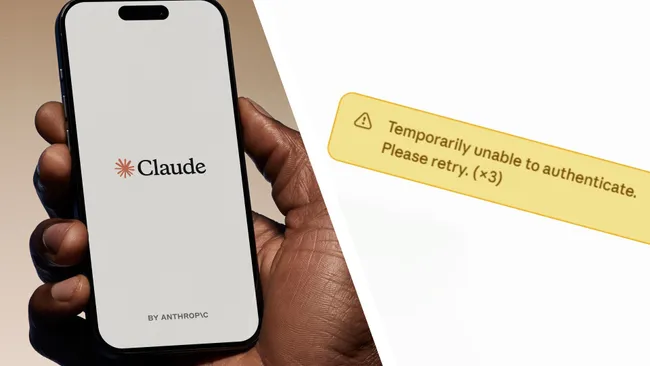
If you opened Claude today and suddenly saw “Temporarily unable to authenticate. Please retry,” don’t panic.
You probably don’t need to reset your password, delete the Claude app, or create a new account.
Claude experienced a major service disruption on September 29, 2026. Anthropic confirmed elevated error rates affecting Claude.ai, with problems also impacting Claude Code and Claude Cowork.
Some users may see authentication errors, failed requests, missing conversations, or repeated login prompts.
According to Reuters, Downdetector recorded more than 11,000 reports related to Claude at one point during the outage. The number of reports does not necessarily represent the actual number of affected users.
So, if Claude suddenly stopped working today, the problem may be on Anthropic’s side—not yours.
Is Claude Down Right Now?
Yes, Claude experienced a significant service disruption on September 29, 2026.
The outage can show up in several different ways.
You might see:
- Claude refusing to load
- Messages failing to send
- Existing conversations failing to open
- A sudden request to sign in again
- “Unable to authenticate” errors
- Claude Code connection or request failures
- Claude Cowork problems
- Temporary failures that disappear and then return
Anthropic described the incident as elevated error rates and said it was investigating the problem.
That means the experience may not be identical for everyone.
One person might be completely locked out, while another can still open Claude but cannot send a message.
What Does “Temporarily Unable to Authenticate” Mean?
This error message can be confusing.
When Claude says it is unable to authenticate you, it does not automatically mean your password is wrong.
Authentication is the process used to verify your identity and establish a valid session with Claude.
Normally, several things have to work correctly:
- Your account needs to be recognized.
- Your login credentials need to be verified.
- Claude needs to establish a valid session.
- The website or app needs to communicate with Anthropic’s servers.
- The authentication system needs to respond correctly.
If something breaks on the service side, you can suddenly get an authentication error even when you did absolutely nothing wrong.
That is why today’s message can look much scarier than it actually is.
Is Claude Down for Everyone?
Not necessarily.
A major outage does not always mean every Claude user loses access at exactly the same time.
Anthropic described the problem in terms of elevated error rates rather than saying that every user was completely unable to access Claude.
You might therefore see different situations:
| What you see | What it may mean |
|---|---|
| Claude won’t load | Service or connection problem |
| Claude loads but messages fail | Request processing issue |
| You are suddenly asked to sign in | Authentication/session issue |
| Desktop doesn’t work | Client-specific or service issue |
| Mobile works but web doesn’t | Platform-specific problem |
| Claude works for a few minutes, then fails | Service instability |
So if Claude works for someone else but not for you, that doesn’t automatically mean something is wrong with your account.
During a major incident, different users and services can recover at different times.
Claude’s Outage Goes Beyond the Website
One important detail about this incident is that the problem isn’t limited to the main Claude website.
The affected Claude ecosystem includes:
- Claude.ai
- Claude Desktop
- Claude Mobile
- Claude Code
- Claude Cowork
For regular users, the biggest headache is obvious: you can’t chat normally.
For developers and people using Claude as part of their workflow, the consequences can be more serious.
A Claude Code session can fail in the middle of a task. A request can time out. An automated workflow can stop before completing.
If you’re working on something important, save your local work rather than relying entirely on an active Claude session.
What Should You Do If Claude Isn’t Working?
The first rule is simple:
Check whether Claude itself is having problems before changing your account settings.
1. Check the Claude Status Page
The official status page is the first place to look.
If Anthropic has already posted an incident, there may be nothing wrong with your account at all.
2. Wait and Try Again
If the problem is happening on Anthropic’s servers, repeatedly changing your password won’t fix it.
Try the simple approach:
Wait → Refresh → Try Again
Anthropic’s troubleshooting guidance also recommends retrying when temporary service problems occur.
3. Try Another Claude App
If you need Claude urgently, test another access point.
For example:
- Claude in your browser
- Claude Desktop
- Claude Mobile
- Claude Code
If several of them fail at the same time, that is a strong clue that the problem isn’t limited to one browser or device.
Should You Change Your Claude Password?
Not just because you saw today’s authentication error.
If you haven’t received a security warning, noticed suspicious activity, or seen an unfamiliar login, an authentication error by itself does not prove that your account has been compromised.
It also doesn’t automatically mean your password has expired or become invalid.
Anthropic’s troubleshooting guidance recommends checking things such as VPN connections, browser extensions, cache, and cookies when dealing with login problems.
But during a confirmed service outage, those steps may not immediately solve anything.
Sometimes the best troubleshooting step is simply to wait for the service to recover.
Why Does Claude Keep Asking Me to Sign In?
This is another frustrating symptom you may encounter.
You were already logged in.
Then suddenly Claude asks you to log in again.
That can make it feel as if your account has been reset.
But during a service disruption, authentication and session systems can behave unexpectedly.
Anthropic said the incident could result in users being asked to sign in again, while also experiencing problems loading conversations or sending messages.
So if Claude suddenly sends you back to the login screen, don’t immediately assume your account is gone.
Are My Claude Chats Deleted?
There is currently no evidence that this outage means your conversations have been permanently deleted.
A conversation failing to load is not the same thing as a conversation being erased.
If your chat history temporarily disappears, resist the urge to create a new account or start changing everything.
Wait for the service to stabilize and check your conversation history again.
A temporary availability problem can prevent content from loading even when the underlying data has not been deleted.
Is Claude Code Down Too?
Claude Code is also affected by the incident.
Anthropic’s incident information includes Claude Code among the affected services.
For developers, that can be particularly disruptive.
Imagine Claude Code is in the middle of:
- Debugging a project
- Editing source code
- Reviewing a repository
- Running an automated task
- Analyzing a large codebase
Then the connection suddenly fails.
If you have important local changes, make sure they are saved independently.
An outage is inconvenient.
Losing unsaved work is much worse.
Could Your Internet Be the Problem?
It could be—but today’s situation cannot simply be blamed on individual internet connections.
Reuters reported that Downdetector recorded more than 11,000 Claude-related reports during the incident.
That makes a broader service problem much more plausible than thousands of unrelated users suddenly having identical connection issues.
A simple rule of thumb:
Only you can’t access Claude
→ Check your browser, network, VPN, and device.
Several devices can’t access Claude
→ The problem may be related to your account or the service.
A large number of users can’t access Claude
→ A platform-wide incident becomes much more likely.
Today’s outage falls into that broader service-disruption category.
What Caused the Claude Outage?
This is the part where it’s important not to guess.
Anthropic has not yet publicly provided a complete root-cause explanation for the September 29 incident.
The company has confirmed elevated error rates and said it was investigating.
That means it would be premature to claim the outage was caused by:
- A cyberattack
- DDoS traffic
- Server capacity
- A specific Claude model
- A sudden traffic spike
- An account security problem
Unless Anthropic officially identifies the cause, those explanations remain speculation.
For now, the confirmed information is much simpler:
Claude experienced elevated error rates, and Anthropic was working on the problem.
Claude Has Had Other Service Incidents in September
September 29 was not the only Claude service incident recorded this month.
Public status records show that Claude experienced another incident on September 22 involving elevated errors across multiple models and services, including Claude.ai, Claude API, Claude Code, and Claude Cowork.
There have also been incidents involving Claude API latency.
However, previous incidents do not prove that they share the same technical cause as the September 29 outage.
Each incident needs to be evaluated based on Anthropic’s own investigation and status updates.
What If Claude Is Back but You Still Can’t Log In?
Suppose Anthropic says the incident is resolved.
But Claude still doesn’t work for you.
That’s when it makes sense to start troubleshooting your own setup.
Step 1: Refresh Claude
Close Claude completely and open it again.
For the browser version, perform a full refresh.
Step 2: Try Another Browser
If you’re using Chrome, try Edge, Safari, or Firefox.
If Claude works in another browser, the issue may be related to your original browser environment.
Step 3: Turn Off Your VPN
Anthropic recommends checking VPN usage when troubleshooting login problems.
A VPN can sometimes interfere with authentication or network connections.
Step 4: Disable Browser Extensions
Temporarily disable extensions, especially those related to:
- Privacy
- Security
- Ad blocking
- Script blocking
Then try Claude again.
Step 5: Clear Cookies and Cache
Old session data can sometimes interfere with authentication.
Clearing Claude-related cookies and cached data can help establish a fresh session.
Step 6: Sign In Again
Once the service itself is operating normally, sign out and sign back in if necessary.
What Does the Claude Status Page Say?
The official Claude Status Page is the most useful place to check whether an outage is still active.
Third-party monitoring services can also provide useful information, but there can be a delay between a real-world problem, user reports, and the status shown by a monitoring service.
That’s why the official Anthropic status page should be your primary reference.
And there’s another important point:
“Operational” doesn’t always mean every single user is instantly back to normal.
Services can recover gradually, and individual sessions may still need to be refreshed or reauthenticated.
Claude Down September 29, 2026: What We Know
Here’s the situation in one place:
| Question | Current information |
|---|---|
| Is Claude experiencing an outage? | Yes, a significant service disruption occurred on September 29 |
| Is it only one user’s problem? | No, there were widespread reports |
| Is “Unable to authenticate” related to the incident? | Yes |
| Is Claude.ai affected? | Yes |
| Is Claude Desktop affected? | Service access may be affected |
| Is Claude Mobile affected? | Service access may be affected |
| Is Claude Code affected? | Yes |
| Is Claude Cowork affected? | Yes |
| Does this mean your account is banned? | No evidence indicates that |
| Does this mean your password is wrong? | Not necessarily |
| Were chats confirmed deleted? | No |
| Has Anthropic announced the root cause? | Not yet |
| Is Anthropic investigating? | Yes |
The key point is that Anthropic has acknowledged elevated error rates, while reports have shown the disruption affecting a broad range of Claude functionality.
Bottom Line: Don’t Reset Everything Yet
If Claude suddenly shows:
“Temporarily unable to authenticate. Please retry.”
on September 29, 2026, don’t immediately assume your account is broken.
The message can be connected to the broader Claude service disruption that Anthropic has acknowledged.
The smartest first move is simple:
Check the official status page.
If an active incident is listed, give Anthropic time to resolve it.
Don’t rush to reset your password.
Don’t create a second account.
Don’t delete your conversations.
And don’t assume that an authentication error means your account has been compromised.
If Claude remains unavailable after the outage is resolved, then start troubleshooting your own setup—check your VPN, browser extensions, cookies, cache, and login session.
For now, the big takeaway is straightforward:
Claude having an authentication error doesn’t necessarily mean there’s anything wrong with your account. Sometimes Claude itself is simply having a bad day.